
Download Tupperware SA – Tupperware catalogue, monthly specials, Tupperware products, Tupperware app, Tupperware Southern Africa, Tupperware promotions, Tupperware online
Overview
Tupperware SA is a mobile application designed to serve as a digital gateway to Tupperware’s product offerings across Southern Africa. Developed by Tupperware Brands Southern Africa, the app functions as a comprehensive catalogue and promotional hub, enabling users to explore a wide range of Tupperware products directly from their Android devices. It is tailored for consumers who wish to browse, compare, and purchase kitchenware and lifestyle products with ease.
The app supports users in discovering new items and taking advantage of time-limited monthly specials, ensuring they stay informed about current promotions. Its primary purpose is to enhance the shopping experience by consolidating product information, visual content, and exclusive deals in one accessible platform. The app is especially useful for individuals who prefer a digital-first approach to shopping, including home organizers, busy professionals, and families managing household needs.
While the developer did not provide additional system requirements, the application is available for Android users and is free to download. Real-world usage scenarios include planning purchases during special events, comparing product features before buying, and staying updated on limited-time offers.
Key Features & Capabilities
- Comprehensive Product Catalogue – The app provides access to a full range of Tupperware products, including food storage containers, kitchen tools, and lifestyle accessories. Each product is displayed with high-quality images and detailed descriptions to support informed decision-making.
- Monthly Specials & Promotions – Users can view exclusive deals and limited-time offers available across Southern Africa. These promotions are updated regularly and are designed to provide value and encourage timely purchases.
- Search and Browsing Functionality – A built-in search tool allows users to locate specific products quickly, while category-based navigation enables efficient exploration of different product lines.
- Cart Integration – The app supports adding items to a virtual cart, streamlining the purchasing process and allowing users to save selections for later review or checkout.
- Push Notifications – Users receive alerts when new monthly specials are launched, helping them stay informed and act promptly on time-sensitive offers.
These features collectively support a seamless shopping journey, from discovery to purchase. For example, a user planning a kitchen upgrade can browse through storage solutions, compare sizes and materials, and add discounted items to their cart. The notification system ensures they do not miss out on a seasonal promotion. The app’s structure is optimized for mobile convenience, making it ideal for on-the-go browsing and decision-making.
User Interface, Workflow & Performance
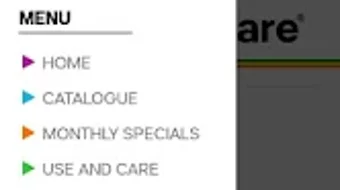
The user interface of Tupperware SA is designed with simplicity and clarity in mind, focusing on intuitive navigation and visual appeal. The layout emphasizes product images and clear categorization, allowing users to quickly locate desired items. Menus are structured to minimize steps between browsing and adding products to a cart, contributing to an efficient workflow.
The app’s navigation is consistent across screens, reducing the learning curve for new users. While specific performance metrics were not provided, the application is designed to operate smoothly on Android devices, with a file size of 22.5 MB. This suggests optimized resource usage, though exact CPU or RAM behavior was not specified.
Stability and responsiveness are expected to align with standard mobile app standards, given the app’s purpose and size. The developer did not specify any known performance issues or crash reports. General performance observations are based on typical behavior for lightweight Android applications in the lifestyle category.
The app appears to prioritize usability over complex functionality, making it accessible to a broad audience, including users with minimal technical experience.
Compatibility & System Requirements
Tupperware SA is available exclusively for Android devices, as confirmed by the provided information. The current version is 2.1.1, released on September 22, 2023. The application has a file size of 22.5 MB, indicating a lightweight installation that should not significantly impact device storage.
Compatibility details beyond the operating system were not specified. The developer did not provide exact system requirements, such as minimum Android version, RAM, or processor specifications. As such, users are advised to ensure their devices meet standard Android app compatibility standards.
The app is designed to function on a wide range of Android smartphones and tablets, but exact hardware compatibility is not confirmed. For users unsure about compatibility, checking the official app store listing or contacting the developer may provide further clarity. Overall, the app’s lightweight nature and platform-specific availability suggest broad accessibility for Android users in Southern Africa.
Pros and Cons
Pros
- Free to download and use with no hidden costs
- Comprehensive product catalogue with detailed descriptions and images
- Regular updates with new monthly specials and promotions
- Push notifications for timely deal alerts
- Intuitive interface designed for easy navigation and browsing
- Lightweight installation at 22.5 MB
Cons
- Available only on Android, limiting access for iOS users
- Exact system requirements were not listed
- No offline browsing capability was mentioned
- Platform-specific availability restricts usage to Southern Africa
- Limited functionality beyond browsing and cart management
FAQ Section
Is Tupperware SA available for iOS devices?
The app is currently available only for Android users. There is no official iOS version provided at this time.
Is the app secure to use?
As a product of Tupperware Brands Southern Africa, the app is designed to protect user data. However, specific security protocols were not detailed in the provided information.
How often are new monthly specials added?
New monthly specials are updated regularly, typically aligned with the start of each calendar month, though exact timing may vary.
Can I use the app without an internet connection?
While the app may cache some content, the developer did not specify support for full offline functionality.
Is the app free to download and use?
Yes, Tupperware SA is free to download and use. There are no in-app purchases or subscription fees.
Final Thoughts
Tupperware SA delivers a focused and functional experience tailored to users in Southern Africa seeking convenient access to Tupperware products and promotions. With its clean interface, comprehensive catalogue, and timely notifications, the app effectively supports informed and efficient shopping. It is particularly well-suited for individuals who value convenience, visual product exploration, and exclusive deals.
While its Android-only availability and lack of offline features are limitations, the app’s lightweight design and free access make it a practical tool for daily use. For consumers in the region who are already engaged with Tupperware’s offerings, this app enhances the shopping journey by bringing the catalogue and specials directly to their mobile devices. The combination of usability, value, and accessibility positions Tupperware SA as a reliable choice for lifestyle-oriented shoppers.
Download Tupperware SA now







